
About Us
Creative Training | Learn Adobe Creative Cloud

Expert Certified Instructor
Melissa Piccone
I have been teaching adults since I was barely an adult myself. I started teaching ballroom dancing when I was 20 yrs old and still in college. After graduating college I went on to make video games. It was fun, but at the time, the web had more to offer.
I switched careers to become a web designer and owned a web design company for 10 years. I took a break from the business world to start up a fun digital scrapbooking company and feed my passion for Photoshop. A move across the country forced me to sell the scrapbooking business and seek out a new career.
I taught at various colleges throughout the my career and my passion for teaching landed me with a new focus and a new title of Adobe Certified Instructor. Teaching full time since 2009, I have traveled all over the country and taught hundreds of students. I contract with various training companies located all over the USA. I currently live in Colorado, about 15 miles south of Denver.
My passion is teaching one on one online and in person. I make sure that you, my students are learning relative, current technologies that apply to your job to make you faster and more efficient in your workflow.
I am currently a user group manager for the Denver Adobe Creative Cloud User Group. We meet in Denver every other month. All are welcome to join us, our meetings and membership are always free.
I am an Adobe Community Professional. There are about 300 of us around the world who are part of the ACP community. We contribute blog posts, training videos, speak and present at events and answers questions in the Adobe User Forums.
I write online training courses and currentlyam an author for Pluralsight.
In my spare time, I like to make artist trading cards. I trade them with people all over the world. I love everything Disney and try to get to the parks as often as I can. I’m always ready to jump on a plane to teach in Orlando or Anaheim!

What kind of training will benefit your employee and your company in the most impactful way?
There are many training companies offering classes. These classes can be in person or online with a live instructor. I teach both. The classes can be small, just a few people, or much larger up to 12 people for hands on training. I’ve lectured to rooms filled with 50-100+ people. The hands on labs I TA for at Adobe Max have 120 people in them.
Video training through sites like LinkedInLearning, Pluralsight and Skillshare are other valuable training tools. I have authored classes for Skillshare and Pluralsight. Learning from a video can be difficult. For beginners with no experience it is particularly difficult. Watching videos requires carving out dedicated, uninterrupted learning time. It takes a little longer because students can’t ask questions are figuring out everything on their own.
As a trainer, I can tell you that I can only teach as fast as the slowest learner. I don’t leave anyone behind. Some classes are full of quick learners and we go above and beyond my planned curriculum, but this is rare. More often there is at least one person struggling to keep up who gets most of my attention. This means we stick with the planned curriculum and don’t have much time, if any for questions about students’ current needs and challenges.
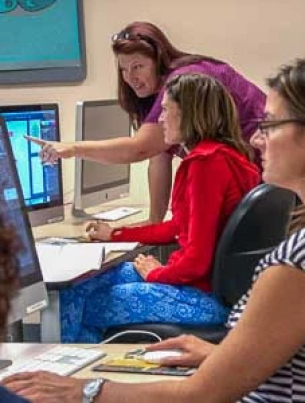
I prefer to teach one on one, or to small groups in the same company. This allows me to customize my teaching around the needs of the student and teach them exactly what they need to know. This immediately benefits the student / employee and benefits the company they work for.
Each case is a little different. We start at the beginning. If a student is a complete beginner, we begin the classroom curriculum and work our way up. If a student has some experience and has been working on projects, we start there. Using the students’ actual work files is a much more valuable and satisfying training experience. They learn specific skills they need to do perform their job and they don’t waste time on skills they don’t need. This targeted approach is much more efficient and cost effective. It’s a win / win for student / employee and employer.
The best part is that the price is the same. I charge a daily rate for training which is competitive to companies offering classes online. Over the last 10 years, I have taught for many of the companies offering online and in person classes and continue to teach for some of them. I prefer teaching “custom consulting” classes one on one or in small groups. You can have me teach you through a company in a class with up to 12 other students, generic curriculum for all or you have my undivided attention, one on one.
I have helped many students complete tasks and learn essential skills including:
Creating books / brochures / ads / long documents in InDesign
Building / redesigning / updating websites in Dreamweaver and using HTML & CSS
Creating ads / banners / graphics and more in Illustrator
Retouching photos / creating ads / mock ups and more in Photoshop
Spend your training dollars wisely. Custom training / consulting will give you the best bang for your buck. Hope to see you or your employees in a custom class soon!
Spend your training dollars wisely. Custom training / consulting will give you the best bang for your buck. Hope to see you or your employees in a custom class soon!
Testimonials
Melissa has empowered thousands of students over the years. Here are just a few messages from those who have experienced her training firsthand.